
YouTube Transcript for Creators: Reuse Every Video
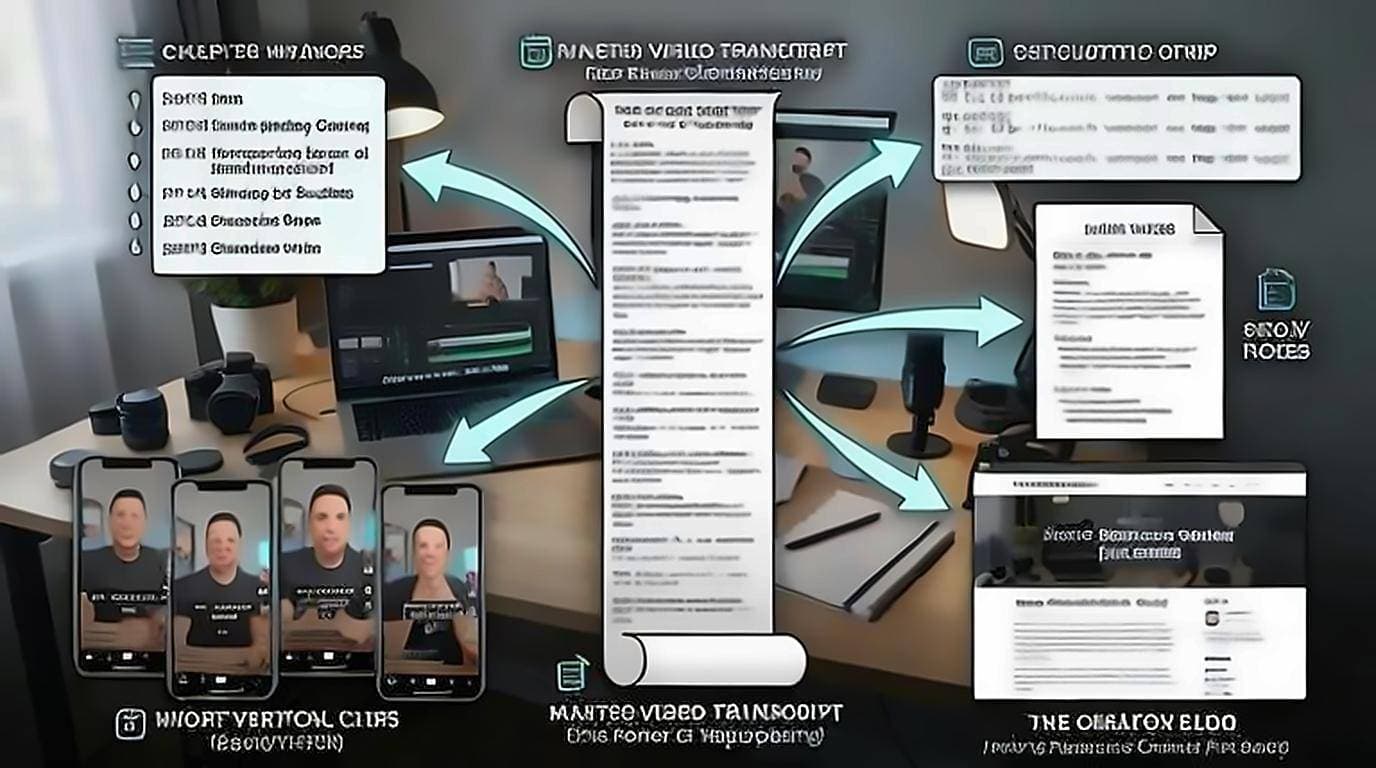
One recording already contains a blog post, a newsletter, show notes, chapter markers, a subtitle track and a fortnight of social clips. The reason it usually produces just the video is that all of that lives in spoken audio, where nothing can be edited, searched or pasted. A YouTube transcript for creators converts the hard part you already did into text, and everything downstream stops being creation and starts being editing.
Start with your own transcript
Pull the transcript of your finished video before you do anything else. The free YouTube Transcript extension displays it on the watch page, so you can read, search, and copy clean text without timestamps — no upload, no account, no export dance. For the full menu of extraction methods, see how to get a YouTube video transcript.
Once the text is in hand, everything downstream is editing, not writing from zero.
Generate chapters that boost retention
YouTube chapters improve watch time and give viewers a reason to stay. The transcript makes them trivial to build.
- Skim the transcript and mark where each topic shifts.
- Note the timestamp on the first line of each new section.
- Write a short, descriptive label for each — front-load the keyword.
- Paste the list into your description, starting at "0:00" so YouTube activates chapters.
Because transcript lines carry timestamps, you're reading for topic boundaries rather than scrubbing the timeline to find them.
Export subtitles and SRT files
Accurate captions widen your audience and lift accessibility, and auto-captions are only a starting point. Use the transcript to produce a clean subtitle track:
- Copy the transcript text as your caption base.
- Fix names, jargon, and punctuation the auto-caption missed.
- Format into SRT blocks (sequence number, timecode range, text) or paste the corrected text into YouTube Studio's subtitle editor — YouTube's subtitle upload guide covers the auto-sync option, which times a plain transcript for you and saves formatting the timecodes by hand.
- Reuse the same file when you cross-post to LinkedIn, Instagram, or TikTok, which each reward burned-in or uploaded captions.
Clean captions also help your video get indexed for more search terms, since the platform reads them.
How to add a transcript to your YouTube video
Exporting captions is one direction; the other is putting a transcript back on a video that has none, or has only the automatic track. YouTube will do the timing for you, so you do not need to build an SRT by hand.
- In YouTube Studio, open the video and go to Subtitles, then Add language.
- Choose Upload file → Without timing and give it your plain transcript — the cleaned text, not the timestamped export.
- Let auto-sync align it to the audio, then scan the result. Alignment is reliable on clear speech and drifts where there are long silences or music.
- Publish. From then on the video carries your wording rather than the machine's guess at it.
This is worth doing on anything evergreen. It is the same text you already cleaned up for the blog post, so the marginal work is a few minutes per video, and it fixes the source every downstream transcript is pulled from — including the errors auto captions leave behind.
Write show notes and a blog post
Show notes and a companion blog post capture the audience that prefers to read — and they earn search traffic your video alone can't.
- Show notes: Pull the key points, links, and any resources mentioned into a scannable summary under the video.
- Blog post: Restructure the transcript into headed sections, tighten the spoken filler into prose, and add the visuals or links your video referenced.
A transcript is a rough draft, not a finished article. Spoken language rambles, so edit for structure and flow. The full method is in repurpose YouTube videos into blog posts. If you want a running start, summarize the video first to get an outline, then expand it.
Mine the transcript for social clips
Your best thirty seconds are hiding in the transcript. Reading is faster than re-watching for finding them.
- Search the transcript for your strongest lines — the hook, the hot take, the payoff.
- Note the timestamps and cut vertical clips around them.
- Reuse the exact wording as the caption or on-screen text.
- Turn a punchy sentence into a quote graphic or a thread.
One ten-minute video can yield three to five clips, a carousel, and a handful of text posts — every one traceable to a timestamp you can jump to.
Captions are not an SEO cheat code
A persistent piece of advice says that uploading your own caption file makes a video rank. It is worth being precise about this, because the advice is half right in a way that wastes people's time.
YouTube already generates a caption track for most videos, so the spoken words are already available to it either way. Uploading your own does not introduce text that was not there; it corrects text that was wrong. That correction is worth doing, and the benefit is concrete rather than magical: your product names, technical terms, and proper nouns appear as you actually spell them, which is what someone typing those words is searching for.
What it will not do is compensate for a video nobody watches. Treat accurate captions as removing a specific failure — being unfindable by your own vocabulary, and unusable to viewers who need them — rather than as a lever you can pull for reach.
Read your own transcript to find what landed
Most creators use the transcript to produce more output. It is also the cheapest feedback on the video you already published.
Line up the transcript against your retention graph. The transcript tells you what you were saying at the minute where viewers left, which turns an unexplained dip into a specific sentence: a tangent that ran long, a section that assumed knowledge, a promised payoff that arrived four minutes later than it should have. Retention data alone tells you where; the transcript tells you what. Do this for three or four videos and the pattern usually turns out to be the same one repeating, which makes it fixable rather than mysterious.
The same read surfaces habits worth fixing. Seeing your filler words written down is more instructive than hearing them, and a transcript makes it obvious when you spent ninety seconds restating a point you had already made twice.
Build a repeatable content engine
The payoff is a system you run every time you publish, not one repurposed video.
- Publish the video.
- Grab the transcript.
- Spin off chapters, captions, show notes, a blog post, and clips.
- Schedule the spin-offs across the week.
Once this becomes routine, your output multiplies without multiplying your filming.