
Transcript vs Captions vs Subtitles Explained
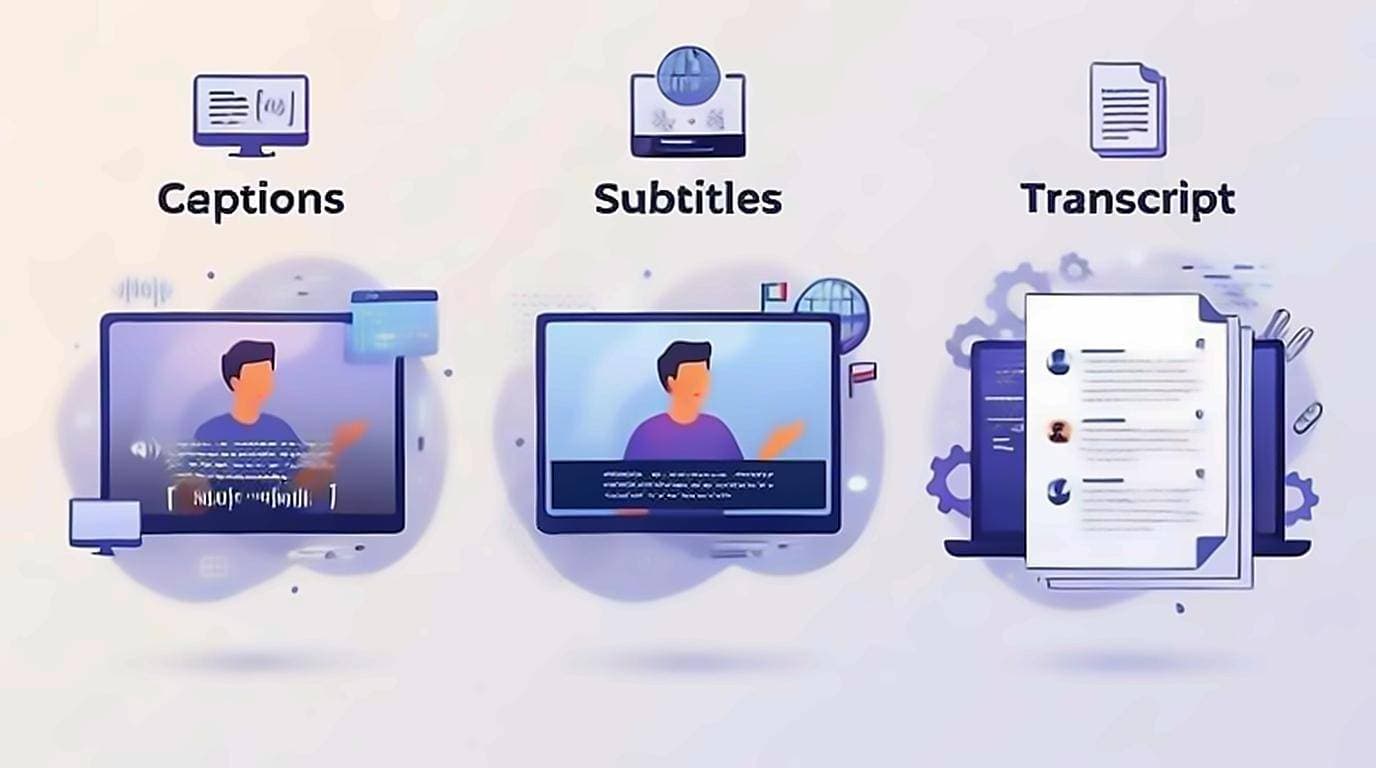
Captions, subtitles, and transcripts all turn a video's speech into text, but they are not the same thing — and mixing them up leads you to the wrong tool. In short: captions and subtitles appear on the video, timed to the audio, while a transcript is the whole spoken content as one block of readable text. If your goal is to turn YouTube captions into text you can read, search, and copy, it's the transcript you actually want. Here's how each one works and when to use it.
What captions are
Captions are text overlaid on the video, in sync with the audio. They're written primarily for people who can't hear the sound, so they include speaker labels and non-speech cues like [applause] or [music playing]. They appear a line or two at a time and disappear as playback continues. Two kinds exist:
- Closed captions (CC) — you toggle them on or off. This is what YouTube shows.
- Open captions — burned into the video permanently and can't be turned off.
You'll also see SDH ("subtitles for the deaf and hard of hearing"), which are subtitle-style but keep the non-speech cues captions have.
What subtitles are
Subtitles look like captions but assume you can hear the audio — they exist mainly to translate dialogue into another language. They usually skip the non-speech cues (sound effects, speaker labels) that captions include, because they're solving a language problem, not an accessibility one.
What a transcript is
A transcript is the entire spoken content as one block of text, detached from the timeline. You read it like an article instead of watching it scroll by two lines at a time. That's what makes it searchable, copyable, and skimmable — the whole reason it's the format worth pulling off a video. A transcript can carry timestamps for navigation or be stripped to clean prose for writing.
Captions vs subtitles: the real difference
The confusion is almost always between these two, so here's the clean rule: captions assume you can't hear and describe all audio; subtitles assume you can hear but don't understand the language and translate only the speech. Same on-screen look, different purpose. A transcript is the odd one out — it isn't on the video at all; it's the text you take away from it.
Caption and subtitle file formats
Captions and subtitles are stored as timed-text files. If you export them, you'll meet a few extensions:
- SRT (.srt) — the most common subtitle format; numbered blocks with start/end times.
- VTT (.vtt) — the web standard, similar to SRT with styling support. Unlike SRT it has an actual specification: W3C's WebVTT defines cue positioning, regions and styling, which is why browsers can render it natively and why it is the safer choice for captions on your own site.
- SBV (.sbv) — YouTube's own simple caption format.
These keep the timing. A plain transcript throws the timing away so the text reads cleanly — which is what you want for notes, quotes, and summaries.
How to turn YouTube captions into text
"YouTube captions to text" really means: take the caption track and read it as one continuous transcript instead of fleeting on-screen lines. Two ways:
- YouTube's built-in panel — open a video, use Show transcript, and toggle timestamps off for cleaner text. It's clunky to copy, but free and built in.
- The transcript right on the page — the free extension shows the full transcript beside the video, so you can search it, click any line to jump, and copy clean, timestamp-free text in one click.
For the full walkthrough of every method, see how to get a YouTube video transcript, and to clean up the result for writing, see converting a YouTube video to text.
Why the distinction is not just pedantry
The words get used interchangeably, and most of the time nothing goes wrong. The exceptions are worth knowing.
For accessibility, they are not substitutes. Captions are synchronised with the video and include relevant non-speech sound, which is what a deaf or hard-of-hearing viewer needs while watching. A transcript serves a different need: it can be read by someone using a screen reader, skimmed by someone who cannot spare twenty minutes for a video, or searched by someone who needs one fact. Providing one does not discharge the case for the other.
For workflow, the difference decides what is possible. Caption files carry timing data that video editors and players need and that reads terribly on a page. A transcript carries prose that reads well and cannot be loaded as a subtitle track. Asking for the wrong one is the usual reason someone ends up hand-editing a file for an hour.
Which one do you want?
- Watching with the sound off? Captions.
- Watching in a language you don't speak? Subtitles.
- Reading, searching, quoting, or note-taking? Transcript.
The same words mean different things elsewhere
Outside YouTube the vocabulary shifts, which is part of why the terms feel muddled. In North American usage, "captions" implies same-language text that includes non-speech sound for viewers who cannot hear the audio, while "subtitles" implies translation for viewers who cannot understand the language. British and much of European usage calls both of those subtitles, and distinguishes them with labels like "subtitles for the deaf and hard of hearing".
YouTube's interface blends both conventions, which is why you will see the same feature described either way in help pages and third-party guides. When a tool or a brief is ambiguous, the reliable question is not which word it used but whether the text is timed to the video and whether it is in the original language.
A note on accuracy
Whichever you use, the text is only as good as its source. YouTube's auto-generated captions are strong on clear speech but stumble on names, jargon, and crosstalk, and a transcript pulled from them inherits those errors. Always check a quote against the audio before you publish it — more on this in how accurate YouTube auto-captions are.