
Repurpose YouTube Videos into Blog Posts
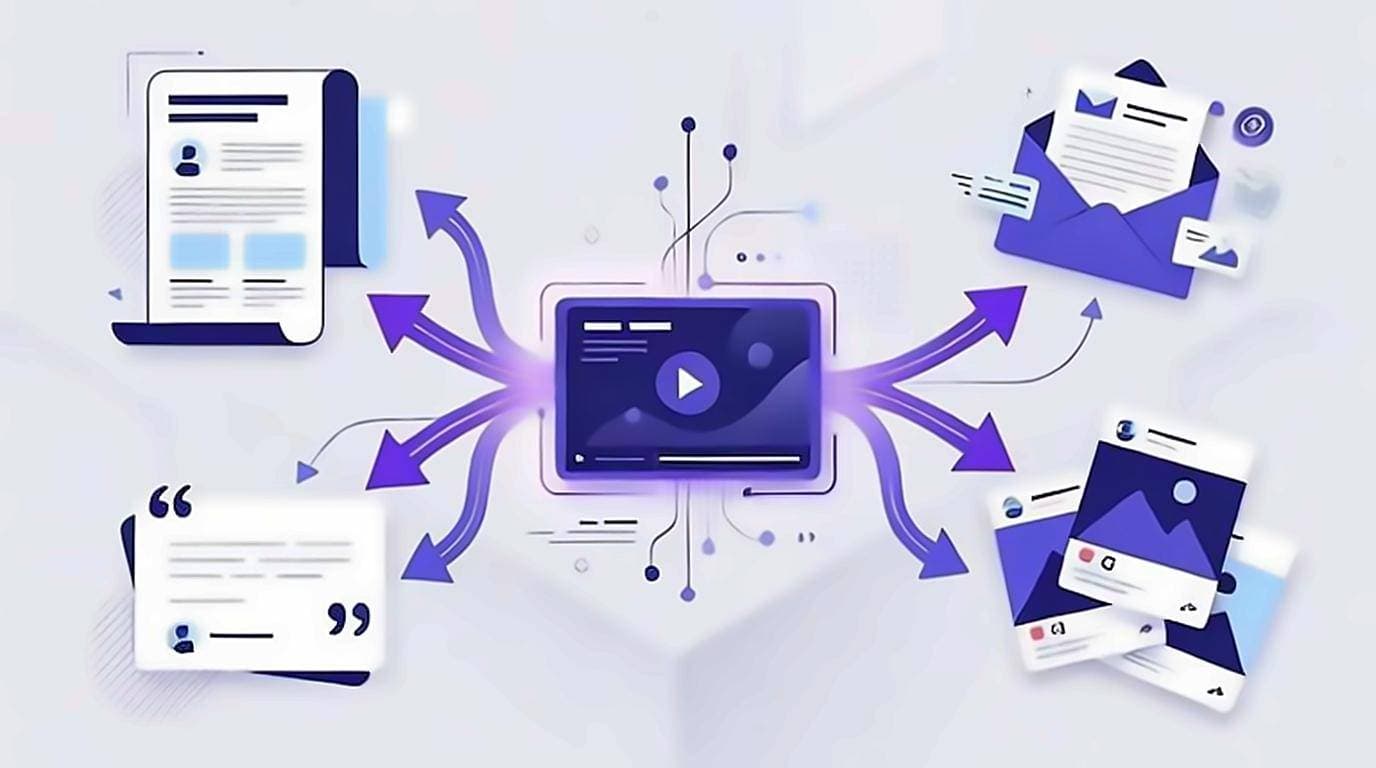
To repurpose YouTube videos into blog posts, start from the transcript instead of a blank page — the entire script of your video already exists as text, so a YouTube video to blog post is really an editing job, not a writing-from-scratch one. Pull the transcript, clean it up, and one recording becomes a blog post, a newsletter, a social thread, and a set of show notes. Below is the exact content repurposing workflow, from grabbing the text to publishing the written version that search engines and AI answers can actually read.
Why start from the transcript, not the video
A video is invisible to most of the web. Google can index the title, the description, and a few tags, but it cannot read the 2,000 words you spoke on camera — Google's own video indexing guidance is explicit that it leans on the title, description and surrounding page text to work out what a video is about, which is precisely the text a transcript-derived post supplies. When you repurpose YouTube videos into blog posts, you convert that spoken content into crawlable, quotable text — the format that ranks, gets cited, and can be skimmed. The transcript is the bridge. It is your rough draft, your outline, and your quote bank all at once, which means the hardest part of writing — figuring out what to say — is already done.
Get the transcript first
Everything downstream depends on a clean YouTube transcript to text. The guide to getting a YouTube video transcript covers every option in detail, but the fastest path is copying timestamp-free text straight from the watch page with the free extension. What you want out of this step:
- Plain text with no timestamps cluttering every line.
- Correct punctuation and sentence breaks so it reads like prose.
- The full recording, not just the visible caption window.
If you also want a fast overview before you edit, run the text through a video summary to see the structure at a glance and decide which sections deserve the most space in the post.
Edit spoken words into written prose
Talking and writing are different crafts. A raw transcript is honest but rambly — full of restarts, filler, and asides that made sense out loud but slow a reader down. To turn the video into content that reads well, edit for the eye:
- Cut filler words — "um", "you know", "basically", "like".
- Merge repeated points and delete the tangents you talked yourself out of.
- Tighten long spoken sentences into short, scannable ones.
- Add the links, images, and code blocks a reader expects but a viewer never needed.
The goal is not to change your meaning, only to make the same ideas comfortable to read. Keep your voice; just remove the parts that only worked because you were speaking them aloud.
Structure the transcript into a real blog post
Once the language is clean, give it shape. Most videos already follow an informal outline; your job is to make that outline explicit and search-friendly:
- Write a headline with the keyword your audience actually searches for.
- Open with an answer-first paragraph so readers get the payoff immediately.
- Group related points under descriptive
H2subheadings. - Turn lists you spoke aloud into real bullet or numbered lists.
- Close with a takeaway and a next step.
This structure is what makes a video to blog SEO play work: headings and short passages give search engines and AI answer boxes clean chunks to lift, and they give human skimmers a map of the page.
Spin off the newsletter, thread, show notes, and quote cards
With the long post finished, the derivatives are fast because the writing is already done. From the same transcript you can produce:
- A YouTube to newsletter issue — lift the strongest section, add a personal intro, and link back to both the post and the video.
- A social thread — pull three to five punchy lines and let each one stand as its own hook.
- Show notes — a timestamped summary plus every link and resource you mentioned, ready to drop into the video description.
- Quote cards — copy an exact line, verbatim, because you have the text — no re-listening or paraphrasing.
The SEO payoff of the written version
The blog post is where the long-term traffic lives. A ten-minute video might earn a burst of views and then fade in the algorithm; the written version keeps ranking for the exact phrases people type. Because you started from a full transcript, the post is naturally rich in the vocabulary of your topic — the words you already used on camera — without any keyword stuffing. That depth is what both Google and AI answer engines reward. Readers who prefer text find you, and the video itself gains an indexable companion page that can link back and drive watch time. If your library is large, making each transcript searchable text also means you can find and reuse an old explanation in seconds.
Use AI on the transcript — carefully
A clean transcript is the ideal input for an AI assistant. Paste it in and ask for an outline, a tighter draft in your voice, three thread hooks, or a newsletter intro. The quality of what comes back depends entirely on the quality of the text going in, which is why timestamp-free, correctly punctuated transcript-to-text matters so much. Two rules keep this honest: give the model the real transcript rather than a vague prompt, and always edit the output back into your own voice. AI accelerates the repurposing — it does not replace the judgment that makes the post sound like you.
A repeatable weekly workflow
Turn all of the above into a routine you can run for every upload:
- Publish the video and copy the full transcript from the watch page.
- Clean the text — cut filler, fix flow, add links and images.
- Structure it into a blog post with an answer-first intro and clear headings.
- Spin off the newsletter, the social thread, the show notes, and the quote cards.
- Optionally run the transcript through AI for drafts, then edit to taste.
- Publish, cross-link the post and the video, and schedule the short-form pieces.
Do this consistently and one recording a week becomes a full content pipeline. For creators who want to go deeper on this system, the transcript playbook for content creators expands each stage.